Free AI Christmas Card Generator
Add a family photo, or no photo at all, pick one of 12 card designs and type your greeting and your names. The AI turns a phone snapshot into a holiday portrait and designs the card around it: the border, the lettering and your names, all in one piece. Download it to print as a 5×7 card, or send it from your phone. Sign in with Google to start for free, with no watermark.
- 12 card designs
- Your words, lettered in
- With or without a photo
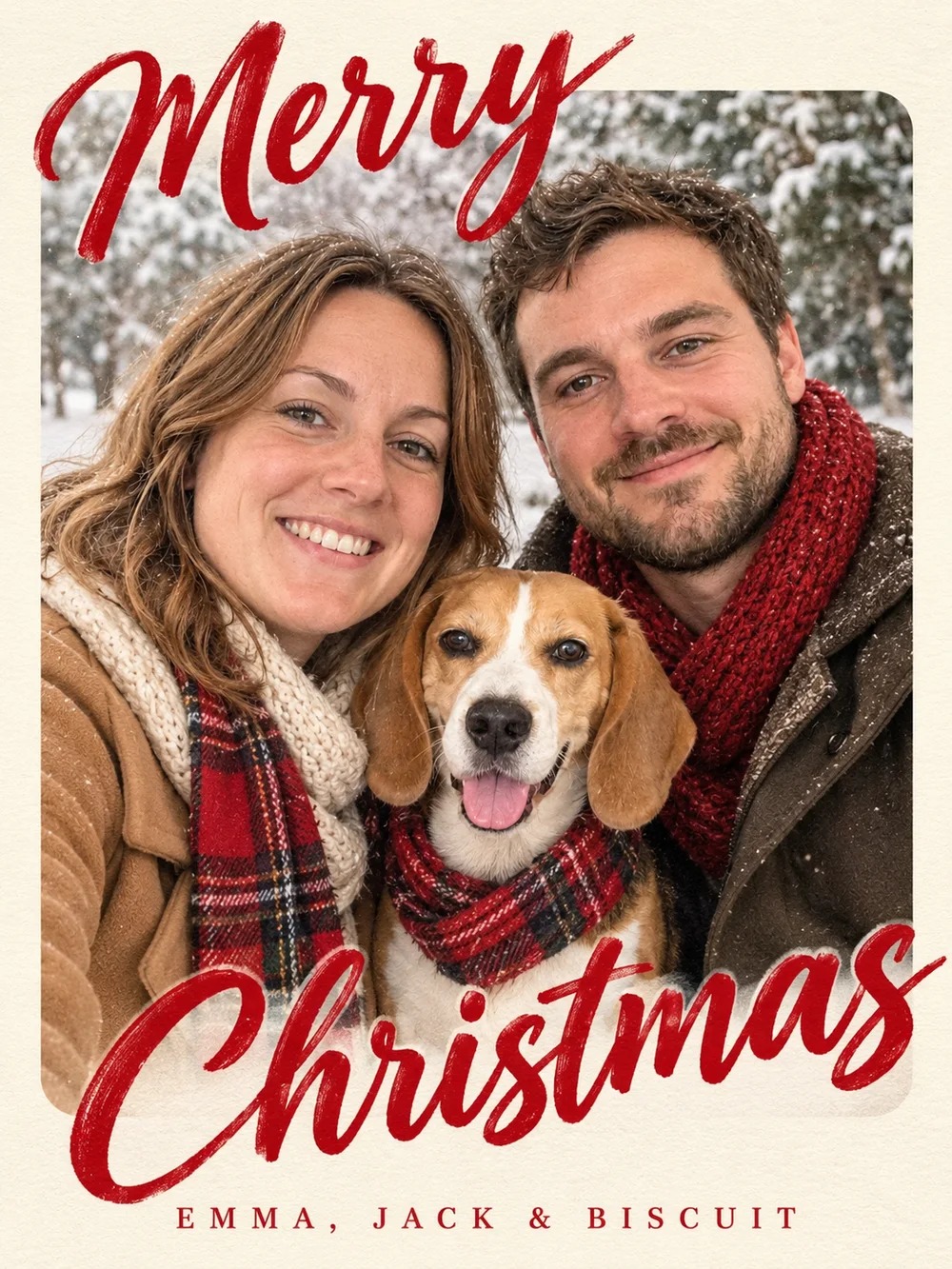
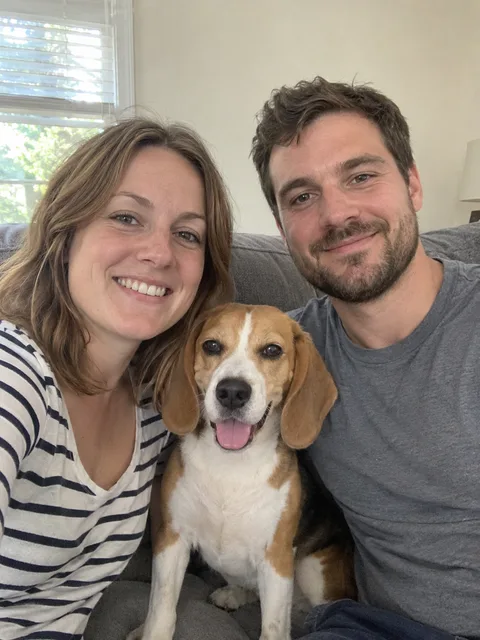
AI Christmas card ideas: 12 designs, one tap each
Pick a design and the generator above is set up the same way. Add a photo for a photo card, or leave it empty and something painted takes the photo's place.
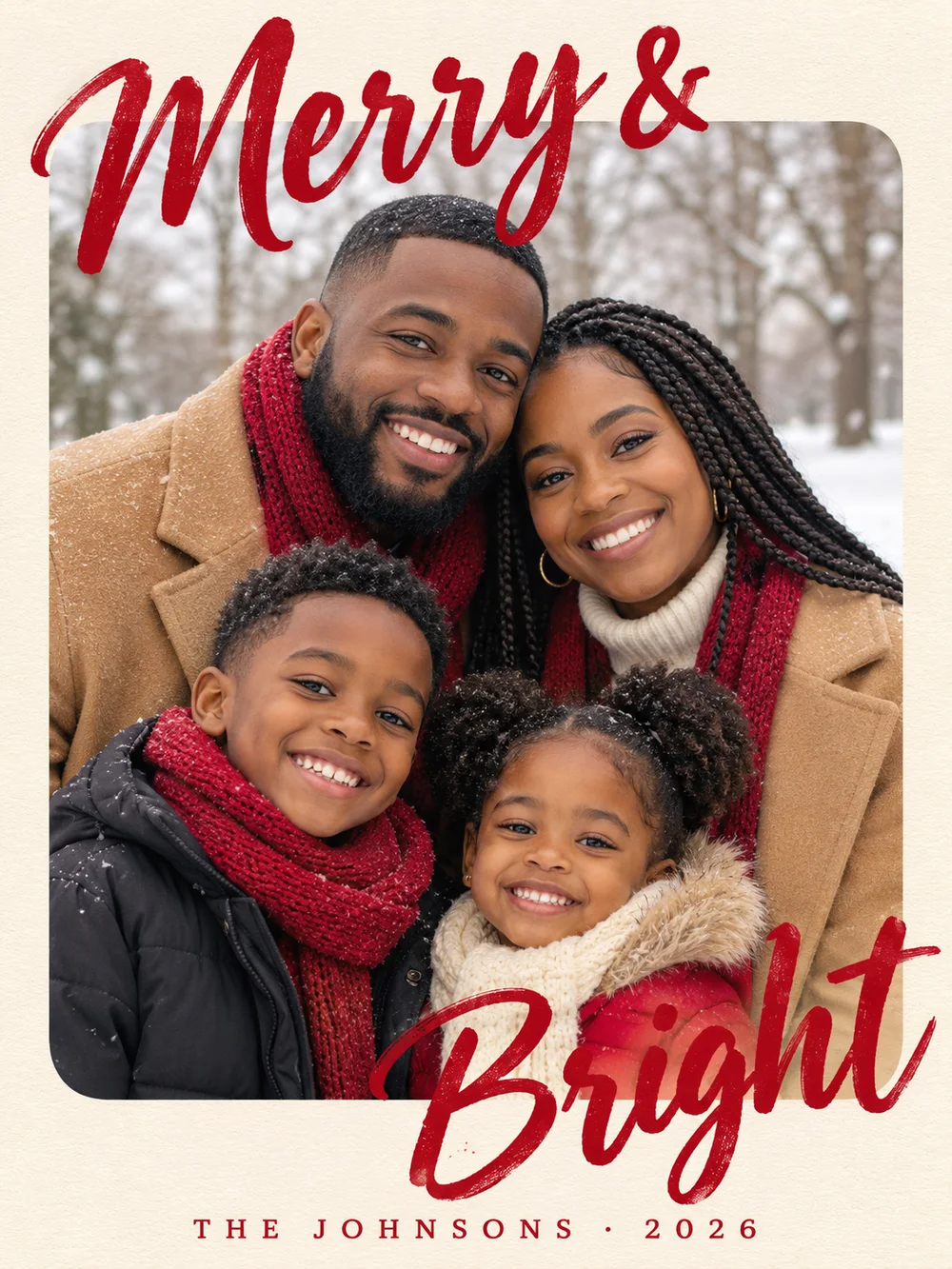
Big script
Use this design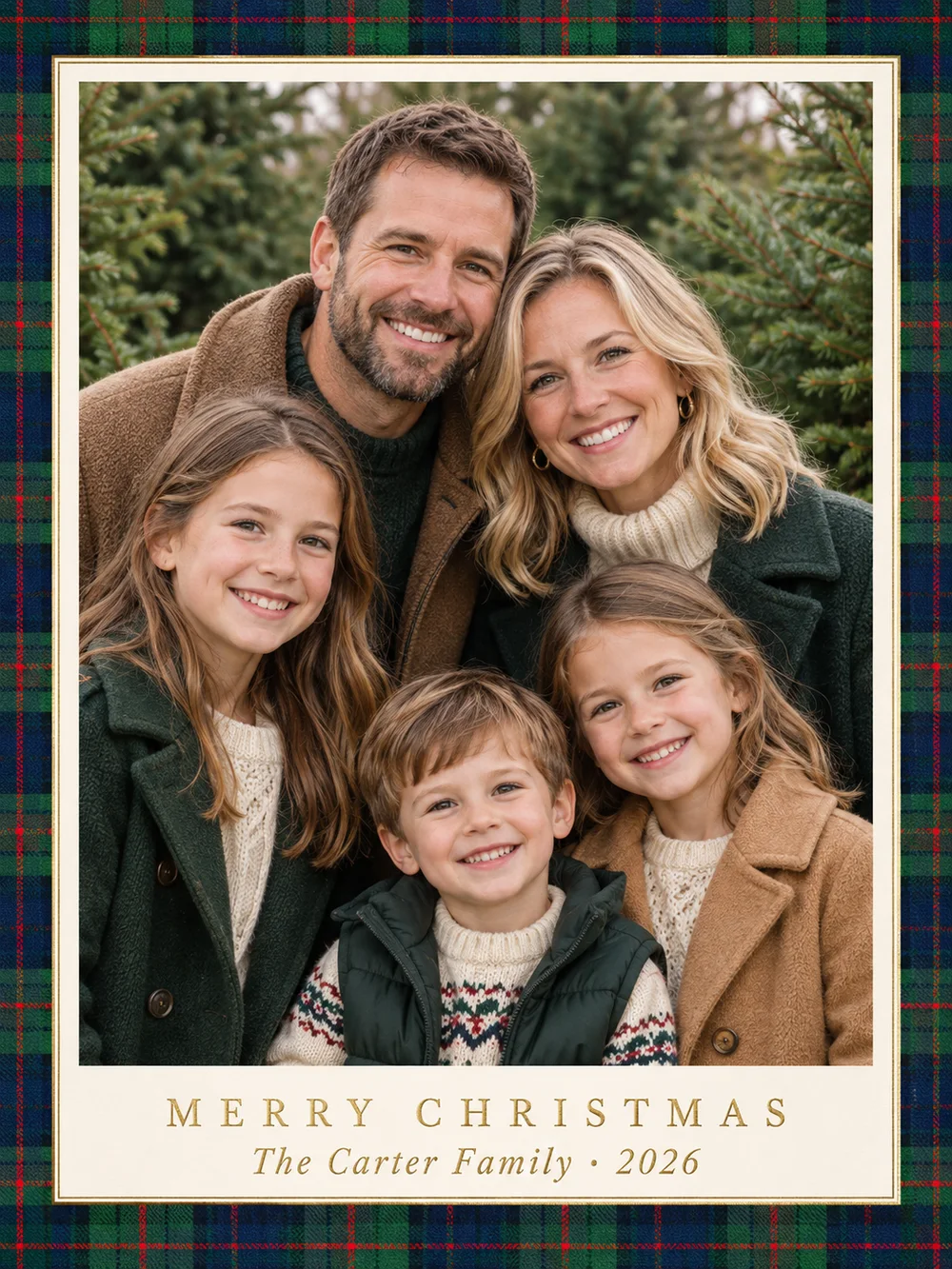
Tartan frame
Use this design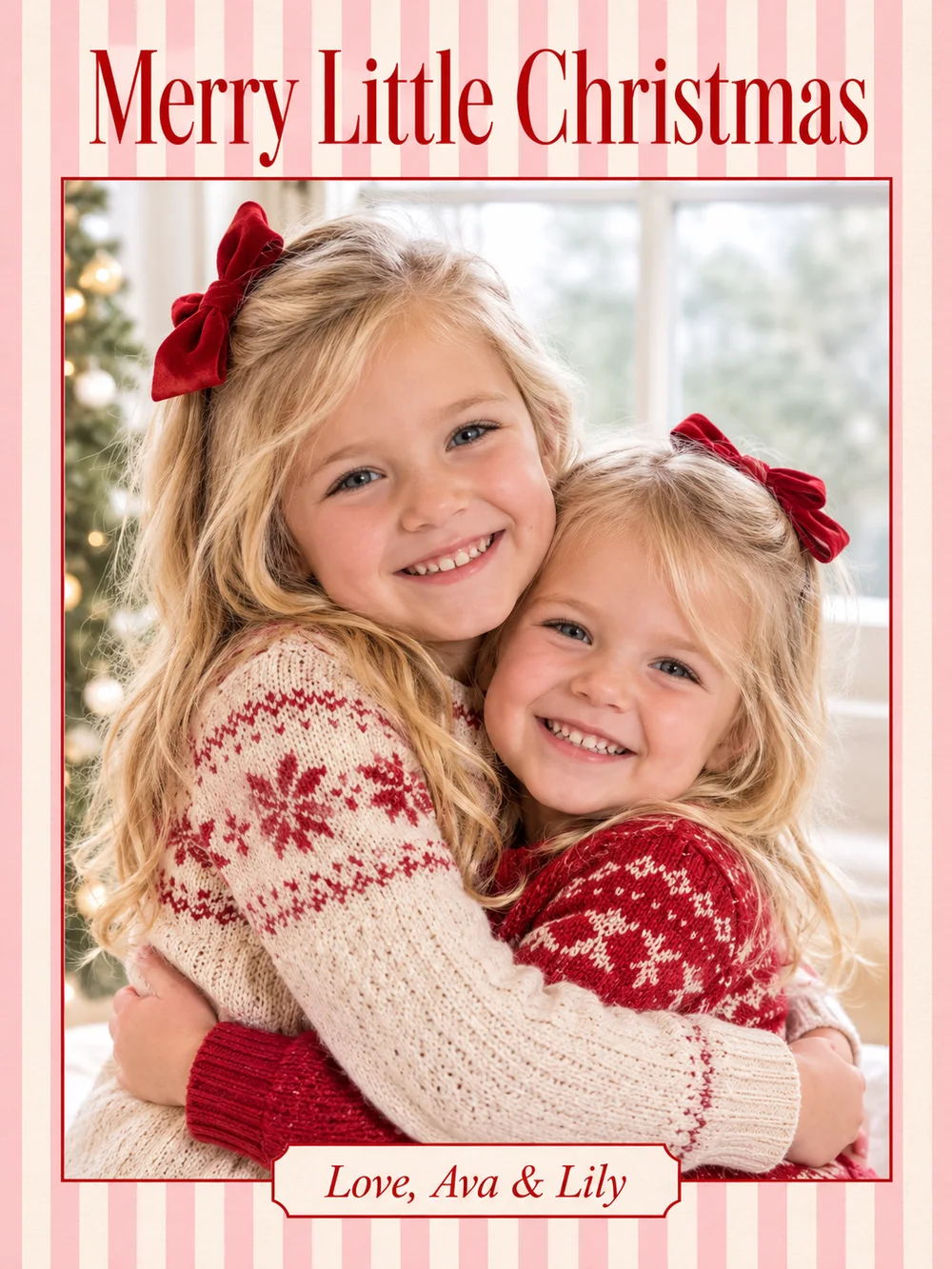
Candy stripe
Use this design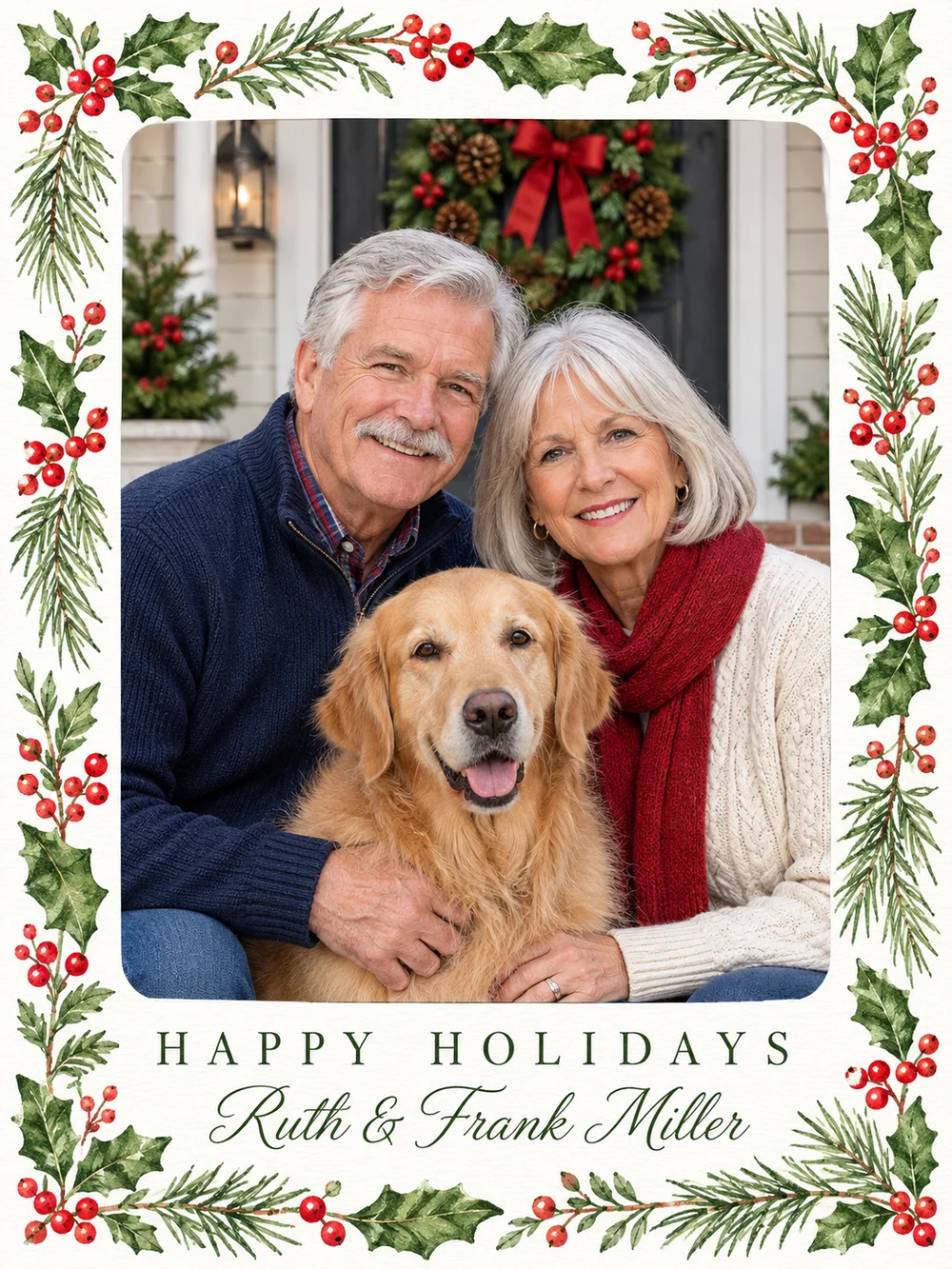
Holly garland
Use this design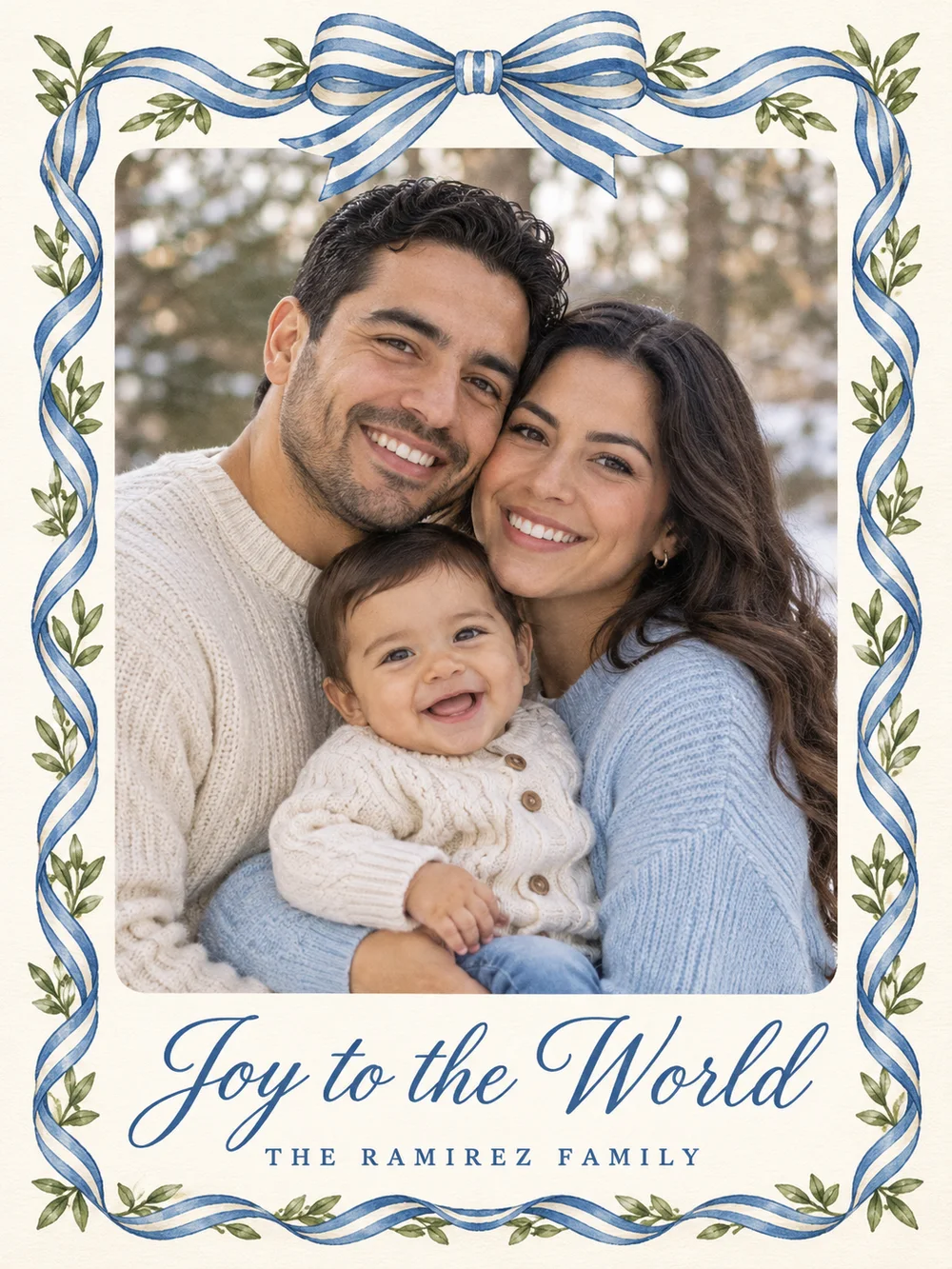
Ribbon bow
Use this design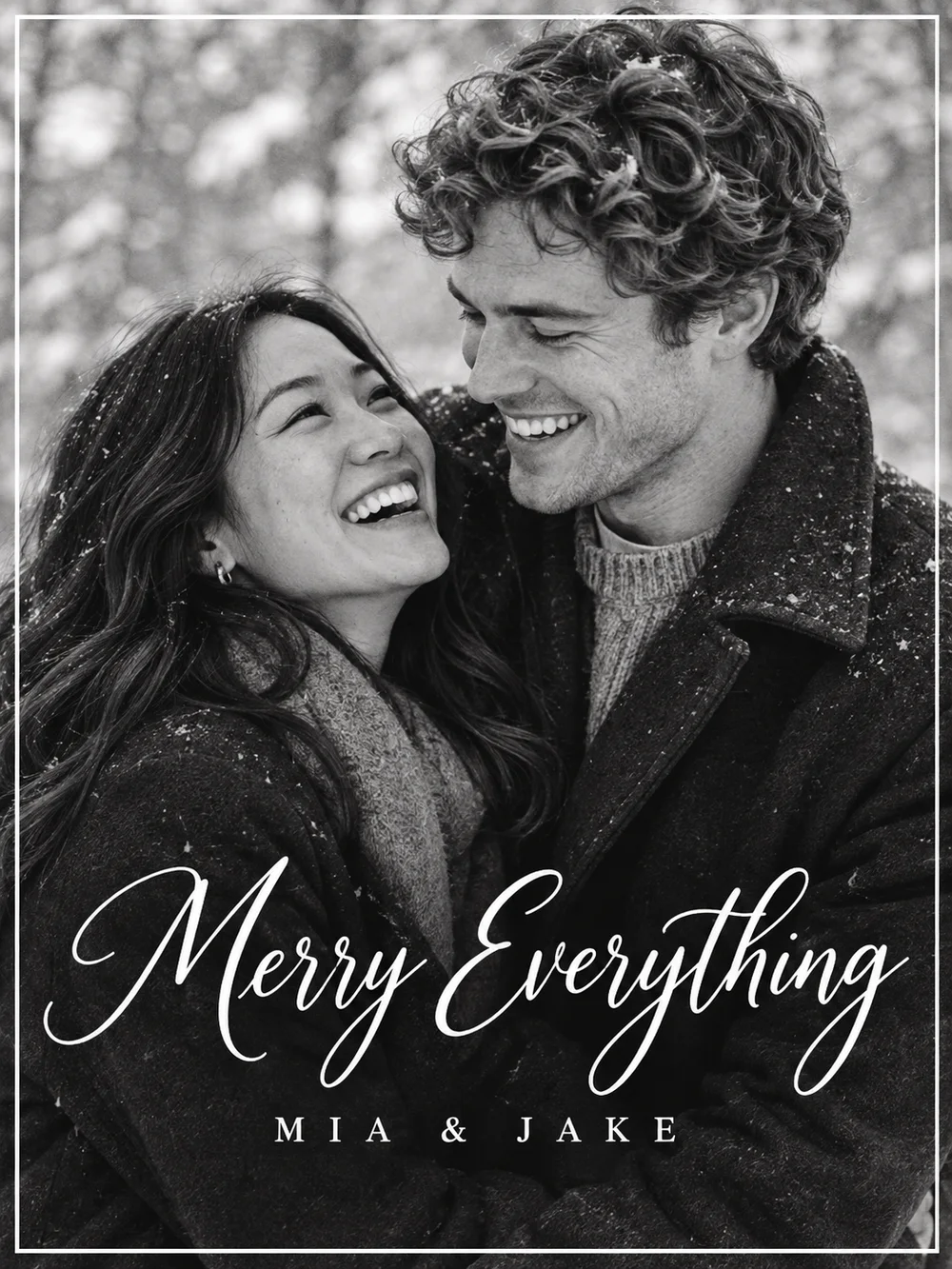
Black and white
Use this design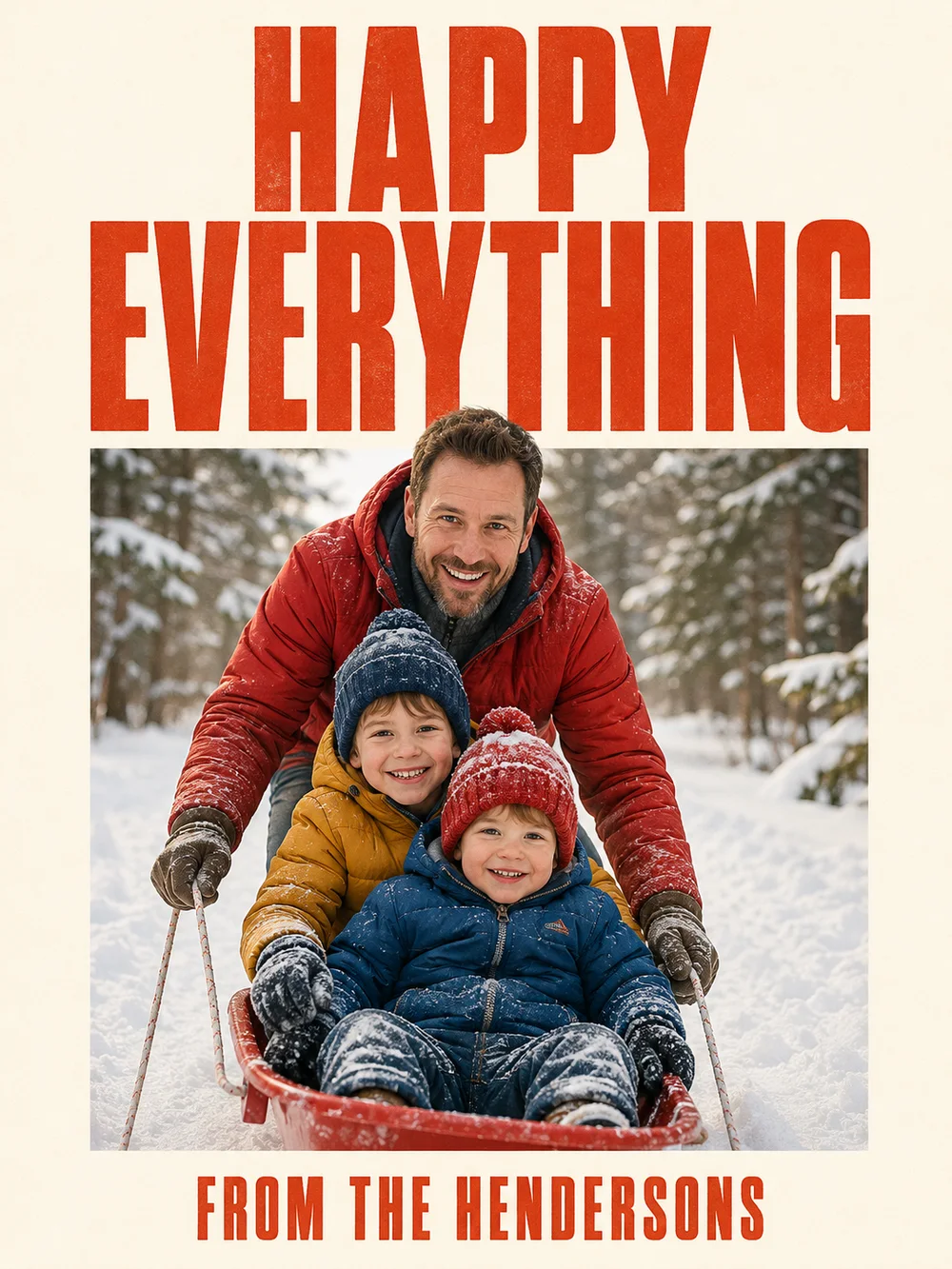
Big type
Use this design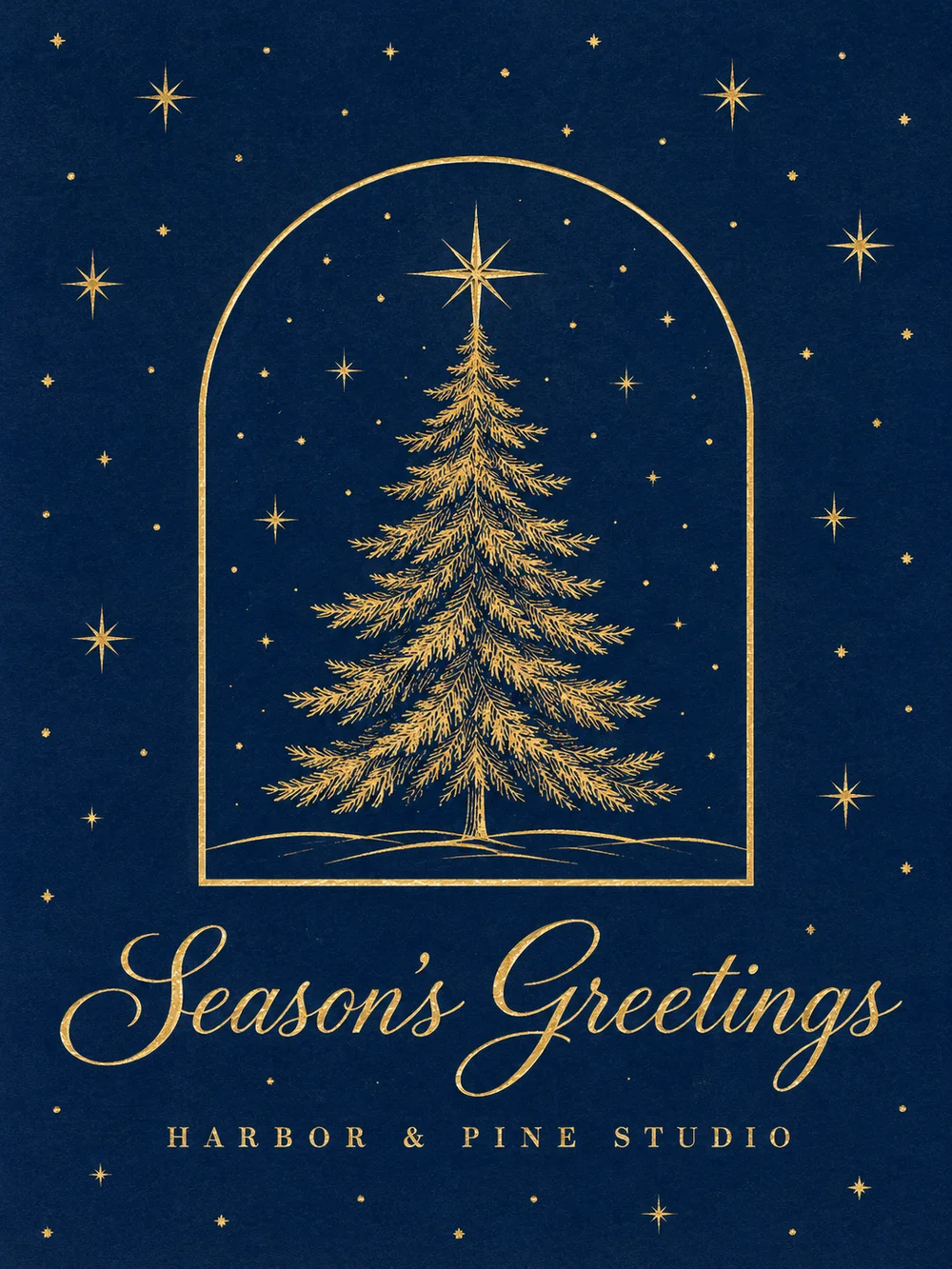
Starry night
Use this design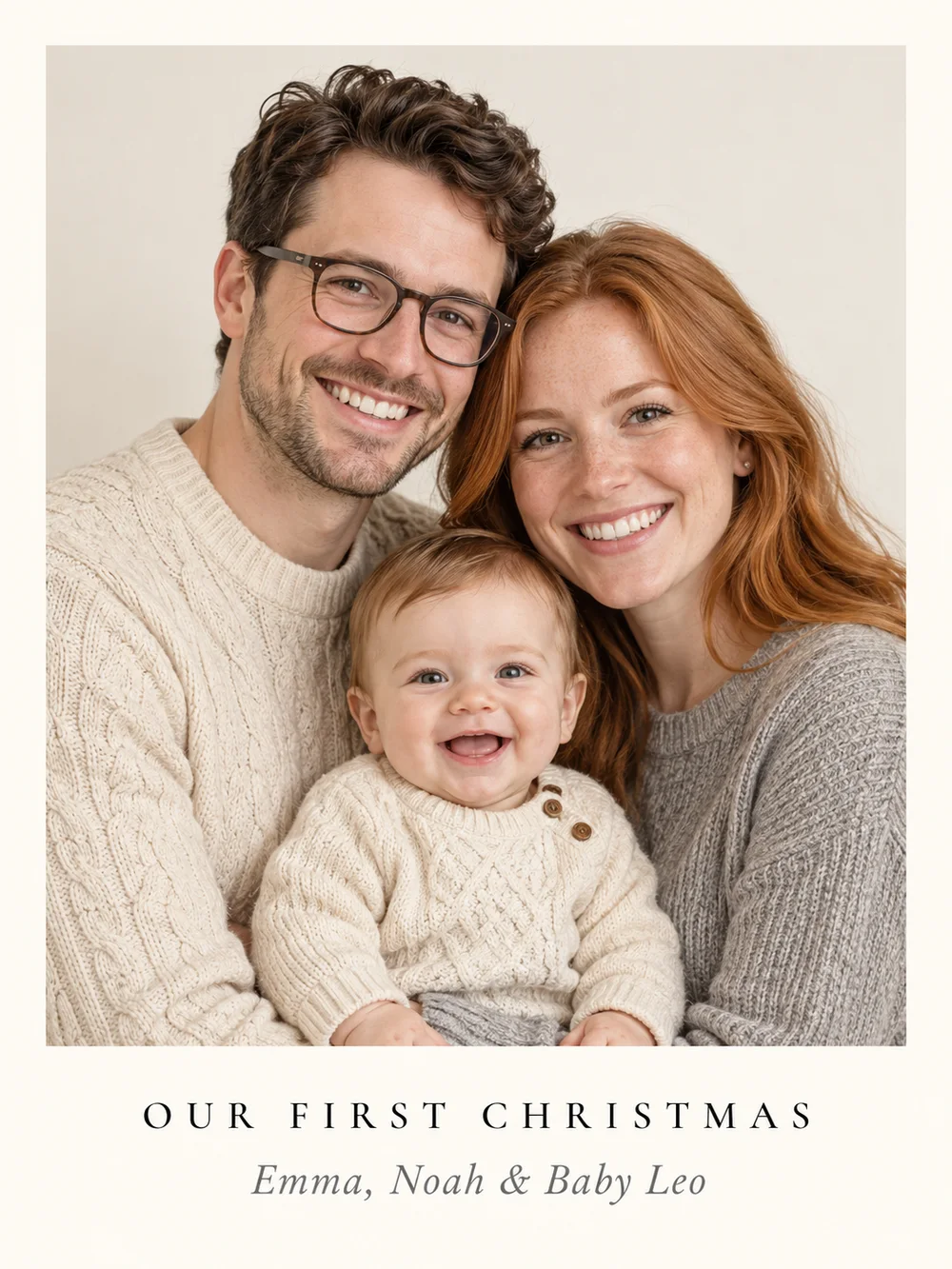
Minimal
Use this design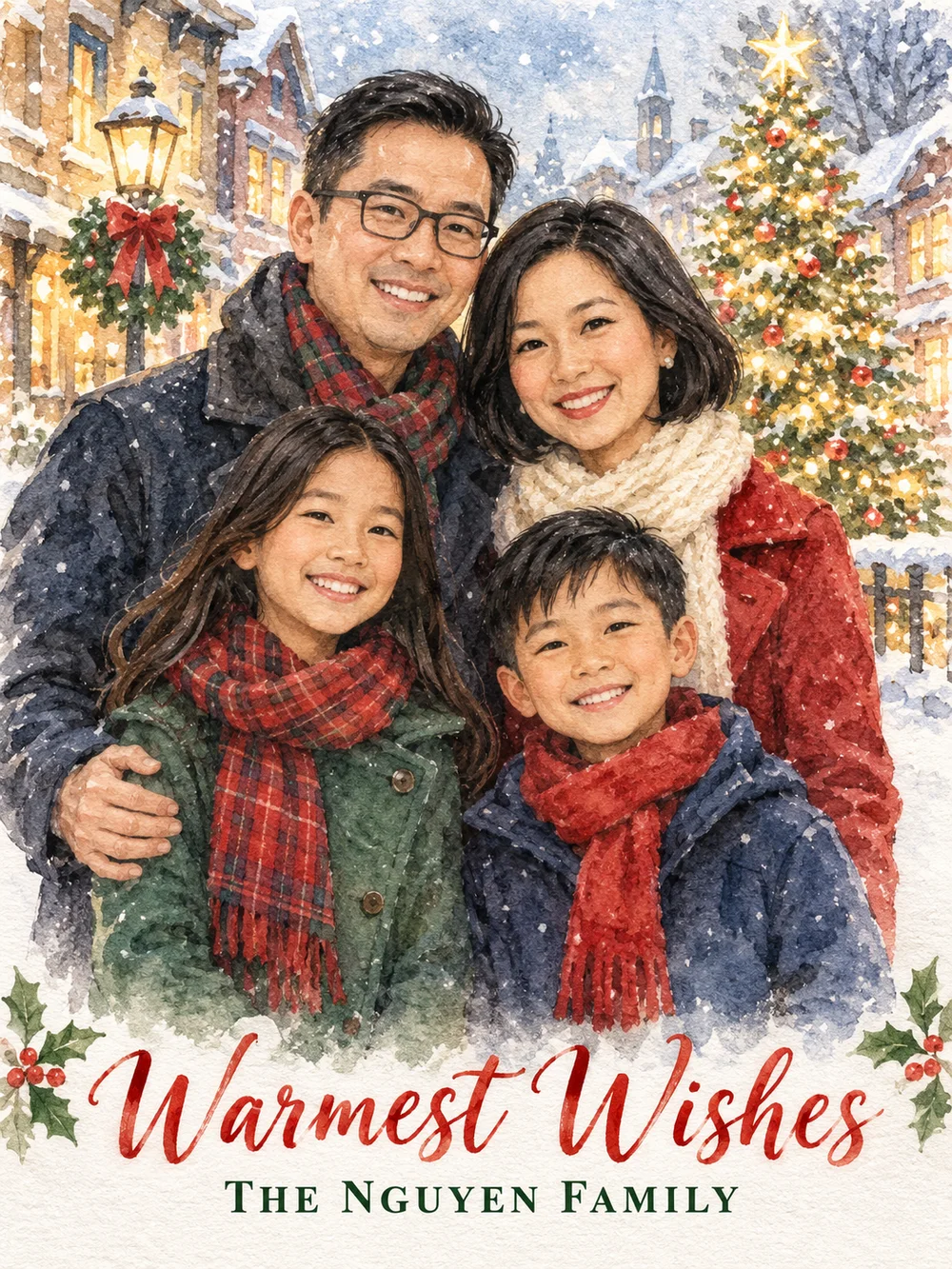
Watercolor
Use this design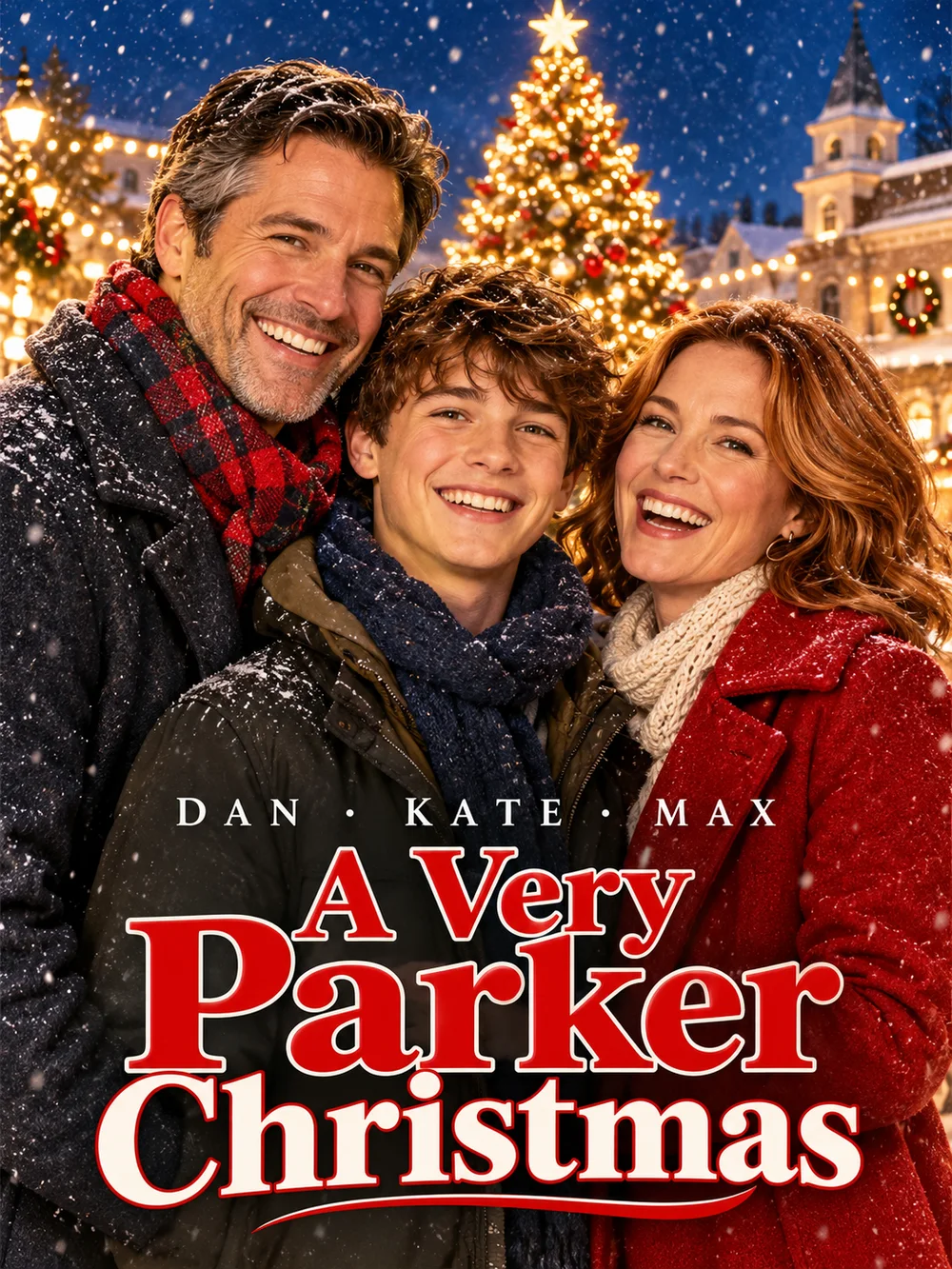
Movie poster
Use this design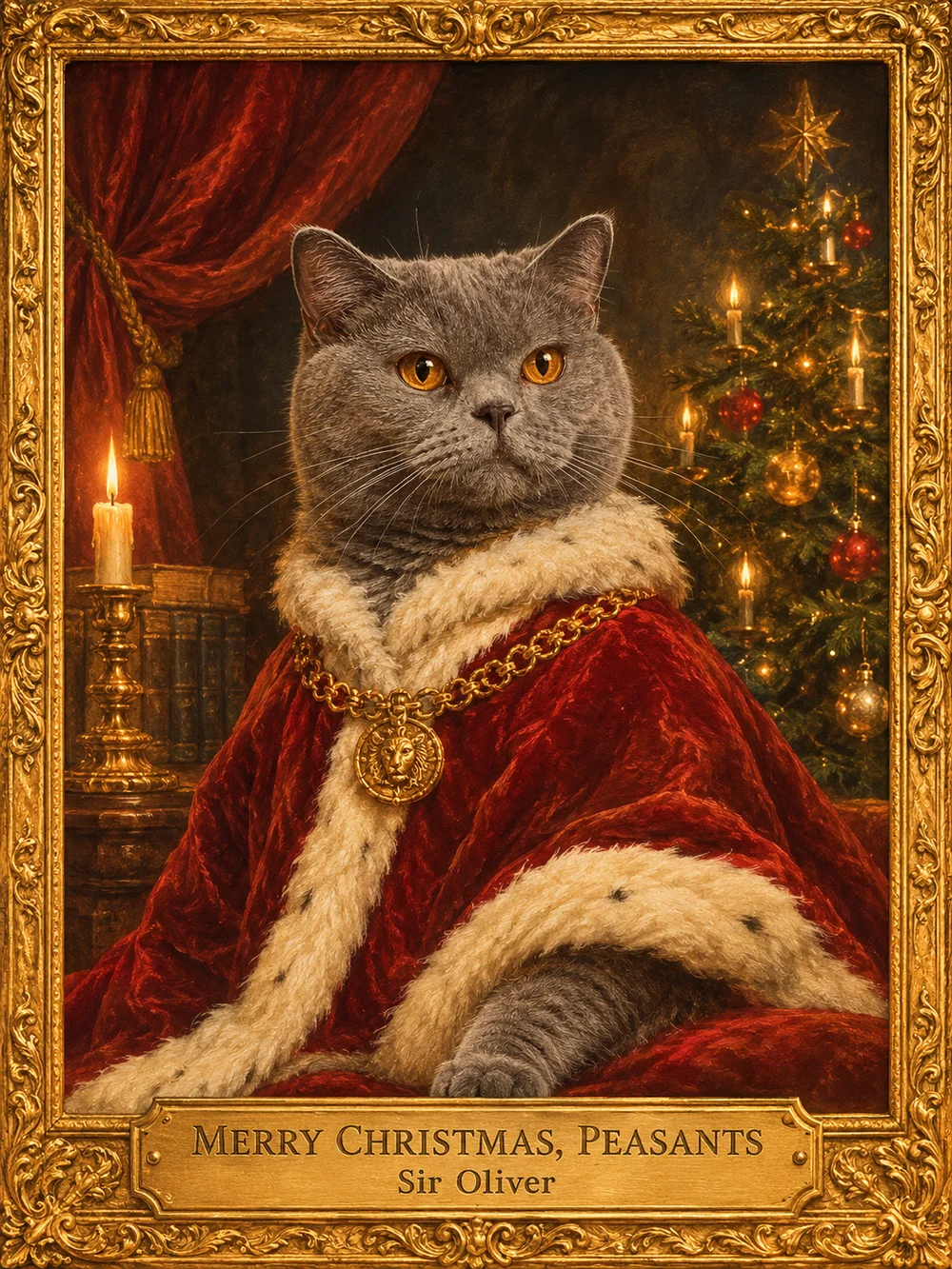
Royal pet
Use this designYour greeting and names, lettered into the card
Type a greeting and your names in the two boxes above the prompt. This AI Christmas card generator letters them as part of the design: small gold capitals under a tartan frame, an oversized red script across the corners of the photo, the title on a movie poster. The words are made with the card, so they sit in it the way they do on a card from a stationery studio.
Read the names once before you print. Short greetings and common names come out right nearly every time, and an unusual name can lose a letter. If that happens, generate again. For a card with no words at all, empty the two boxes.
Christmas card greetings to start from
- Warm
- Merry Christmas
- Happy Holidays
- Season’s Greetings
- Merry & Bright
- Peace, Love & Joy
- Warmest Wishes
- Funny
- We Tried
- Merry Everything
- Still Married, Still Merry
- Fa La La La La
- Dear Santa, We Can Explain
- Merry Woofmas
- Faith
- Joy to the World
- Silent Night, Holy Night
- Glory to the Newborn King
- O Come, Let Us Adore Him
- Business
- Season’s Greetings
- Happy Holidays from All of Us
- Thank You for a Great Year
- Wishing You a Bright New Year
A Christmas card from your photo, or from nothing
There is nothing to set. Add photos and the card shows the people and pets in them. Leave the box empty and the same design gets a painted picture in place of the photo.
| What to add | What you get | |
|---|---|---|
| A family photo card | One group photo, or separate photos of each person, up to 5 | Everyone in one photograph, on the card design you pick |
| A couple’s card | One photo with both of you | Both faces kept, from a black and white portrait to a movie poster |
| A pet card | A clear photo of your dog or cat | The pet on any design, or painted as a noble in a velvet coat |
| An illustrated card | Nothing | The same designs with a painted wreath, tree or snowy village in place of the photo |
| A business card for clients | Nothing, or a team photo | Navy with gold stars and your company name, with or without the team |
How to make a Christmas card with AI
- 1
Add a photo, or skip it
Add up to 5 photos of the people and pets who belong on the card: a phone snapshot is enough. With no photo you get an illustrated card. JPG, PNG or WEBP, up to 50 MB each.
- 2
Pick a design and type your words
Choose one of the 12 card designs, then type your greeting and your names. The AI makes the whole card, border and lettering included, in about a minute or two.
- 3
Check it and save it
Read the names once, then download the card. It is a 3:4 picture, large enough at the 2K size to print as a 5×7 card, and ready to send from your phone.
Everyone facing the camera in even light, with each face large enough to see clearly. Shoulders-up or half-body shots give the closest likeness.
Faces that are tiny in a wide shot, sunglasses, heavy beauty filters, very dark photos, groups of six or more.
AI Christmas card maker, a template site or a chatbot?
There are three common ways to make a card on a screen. Here is what each one does with the picture and the words.
| Template editor | AI chatbot or image generator | AI Christmas card generator | |
|---|---|---|---|
| The picture | Your photo dropped in as it is | Drawn from a prompt you write and rewrite | A snapshot turned into a holiday portrait, on one of 12 designs |
| The words | Typed by you in an editor, in a stock font | Drawn by the AI from whatever you describe | Typed in two boxes and lettered as part of the design |
| If a name comes out wrong | It cannot: it is plain type | Describe the whole card again | Generate again: the design and your words stay set |
| Shape and size | Set before you start | Whatever shape comes out | A 3:4 card, close to 5×7 and large enough to print |
What people make with a Christmas card AI
The family Christmas card
This year’s photo, a greeting and everyone’s names, ready to print as a 5×7.
A card from the pet
The dog as a noble in a velvet coat, with its name on the gold plaque.
An e-card for far-away family
Download the card and send it by text, with no stamps and no deadline.
Holiday cards for clients
Navy and gold with your company name on it, with a team photo or without.
A funny one for friends
The whole family as the cast of a holiday movie, with your names where the stars go.
Why use PictCraft's AI Christmas card generator
A card, not a caption.
The border, the photo and the lettering are designed together, the way a stationery studio does it.
With a photo or without.
The same 12 designs work with your family in them, or with something painted in the photo’s place.
A snapshot is enough.
A phone photo from the couch comes back as a holiday portrait of the same people.
Large enough to print.
At the 2K size the 3:4 card prints cleanly as a 5×7.
No watermark.
Nothing is printed on the card except what you type.
What an AI Christmas card can and cannot do
It makes the front of a flat card.
There is no folded layout, no inside page and no back. For a folded card, print the front and write inside by hand.
The photo on the card is a new one.
The AI takes the people from your photo and makes a new holiday portrait of them, so clothes and setting change and small details can too. Check each face before you print.
Colors shift on paper.
A screen is brighter than card stock. Print one copy first before you order fifty.
Lettering can slip.
Short greetings and common names come out right nearly every time. Read unusual names letter by letter before you print.
AI Christmas card generator FAQ
Is the AI Christmas card generator free?
You can start for free after signing in with Google. Each picture uses credits, and the cost is shown on the Generate button before you press it. See the pricing page for plans and credit packs.
How do I make a Christmas card with AI?
Add a photo or skip it, pick a card design, type your greeting and your names, and press Generate. The AI makes the whole card with your words lettered in. Download it to print or to send.
Can I make a Christmas card from my own photo?
Yes. Add up to 5 photos of the people and pets who should be on it. The generator keeps each face and puts everyone in one holiday photograph, on the card design you chose.
Can I make a card without a photo?
Yes. With no photo, each design puts something painted where the photo would be: a wreath in the tartan frame, a snowy cottage in the holly garland, a gold pine tree on the navy card.
Will my greeting and names be spelled correctly?
Usually. The AI is told to spell every word exactly as you typed it, and short greetings and common names come out right nearly every time. Check unusual names before you print. If a letter is wrong, generate again.
Can I change the text after the card is made?
Lettering made by the AI is part of the picture, so new words mean a new image. Change the words in the two boxes and generate again.
Can I make a card with no words on it?
Yes. Empty the Greeting and Names boxes and the picture comes out with no text.
What size is a Christmas card?
The most common flat card in the US is 5×7 inches. A6 is common in Europe and has almost the same shape. The generator makes the card in a 3:4 shape, which is close to both.
Can I print the card?
Yes. At the 2K size the card is large enough for a 5×7 print. Download the image and order it at a photo counter or an online print service, or print it at home on card stock. A 5×7 is a little narrower than 3:4, so the print trims a thin strip off each side or leaves a thin margin. The lettering is kept clear of the edges for that reason.
Can I send it as an e-card?
Yes. Download the card and send it by text, WhatsApp or email. It is a picture file, not an animated card.
Can I make a pet Christmas card?
Yes. Add a clear photo of your dog or cat. The Royal pet design paints it as a noble in a velvet coat, and every other design works with pets too.
Can I make cards for my business?
Yes. Starry night is navy with gold stars and suits a company card with no photo, or with a team picture if you add one. Type your company name in the Names box.
Does it make folded cards?
No. It makes the front of a flat card. You can print it on folded card stock and write the inside by hand.
What happens to the photos I upload?
Your uploads and results are saved to your account so you can find them again, and they stay there until you delete them. Only you can see them, and they are not used to train AI models.
Is there a watermark?
No. Nothing is on the card except the picture and your own words. The card is AI-generated, so say so when you send it.
Are there limits on what I can make?
Yes. Nudity and sexual content are not allowed, and neither is anything that sexualizes minors. Prompts and images are checked before an image is generated. Only use photos of yourself, your family or people who agreed to it.
Want the photo without the card? The AI Christmas photo generator puts your family in 12 Christmas scenes, and the ugly Christmas sweater generator puts a sweater on your photo. All three run on PictCraft's image to image AI.